This unofficial guide explains how to use AMOS automatic mahjong tables. It is not sponsored by AMOS and is not sales or promotional material.
If you have played Riichi Mahjong online or with hand-shuffled tiles, you already know what happens during a hand. At an automatic table, you handle the tiles, pay with point sticks, and use the machine to prepare the next hand. This guide introduces those practical tasks.
This guide covers AMOS REXX and JP-EX Color tables. REXX instructions use the REXX III as the example; controls and available features may vary on other REXX models.
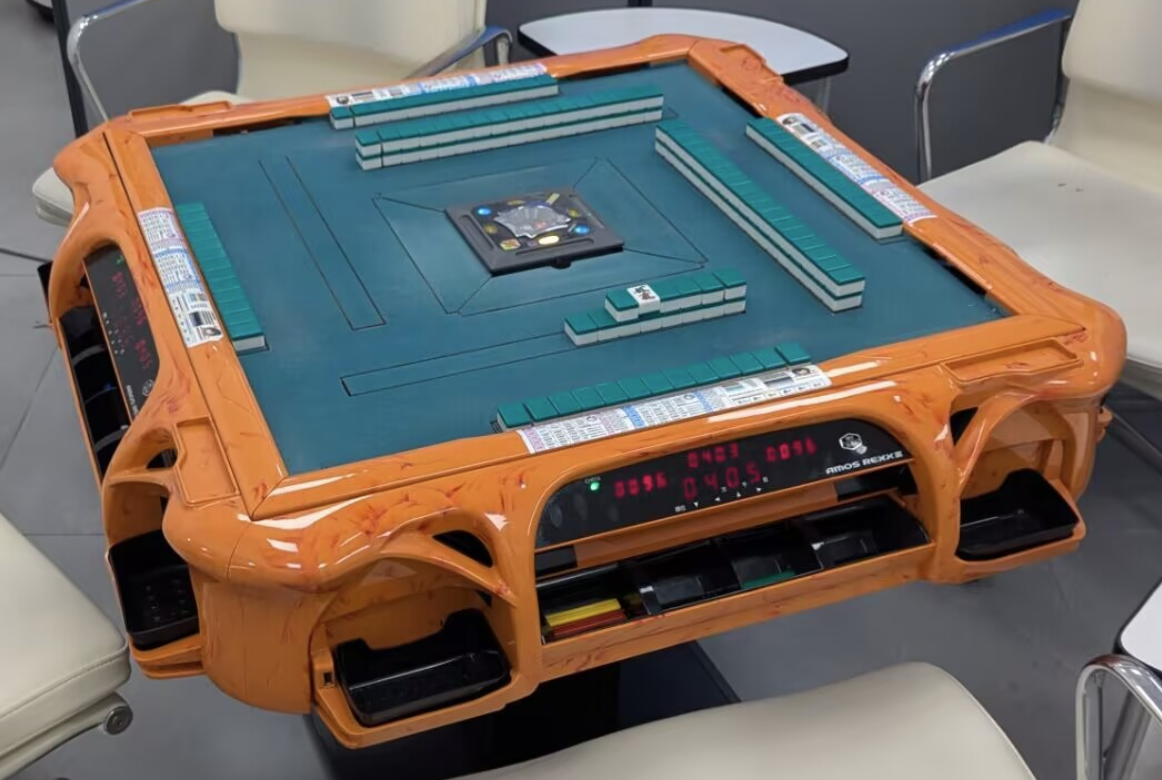
1. What the table does
An automatic table uses two separate tile sets. While you play with one set, the other is being shuffled and prepared inside the machine. At the end of the hand, you return the used tiles and bring up the prepared set. This removes most of the time spent shuffling and building walls by hand, so the next hand can begin promptly.
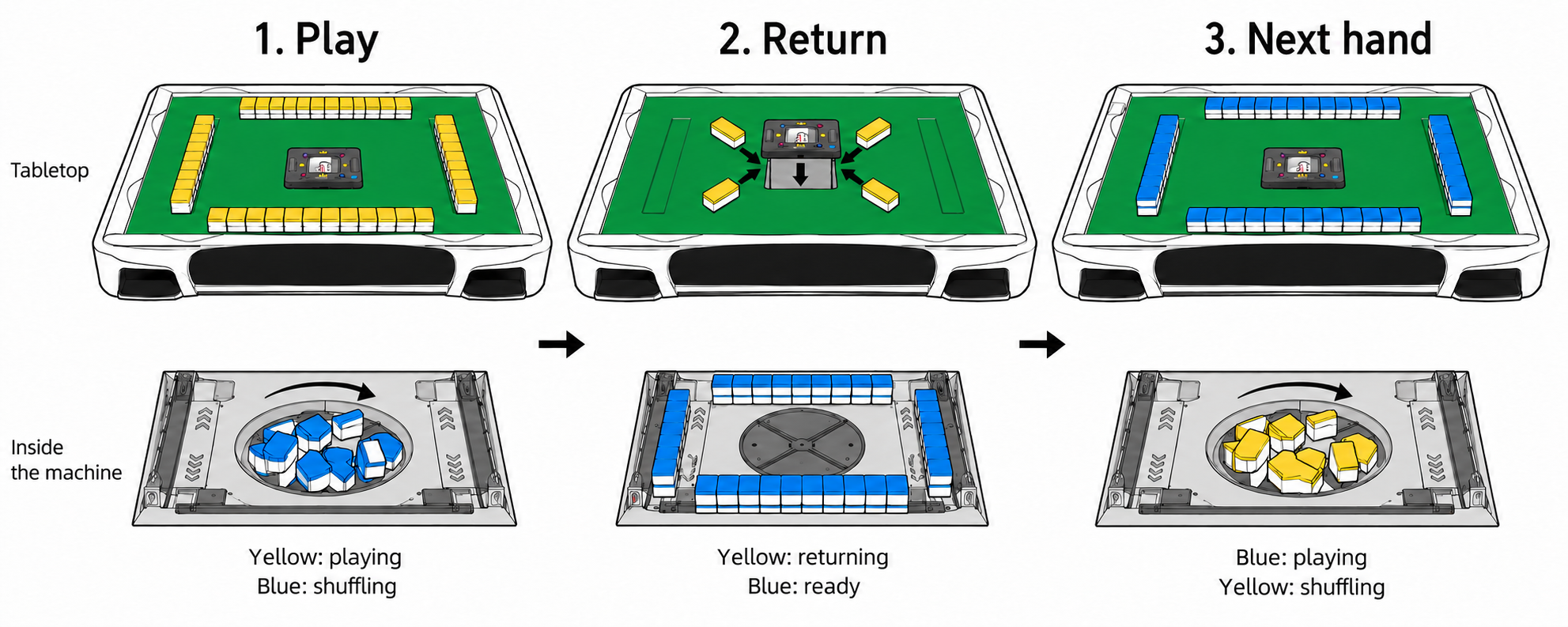
Auto Dealing Feature
REXX tables have eight tile-delivery elevators: four for the walls and four for the players’ starting hands. With automatic dealing enabled, the machine prepares both the walls and the starting hands.
JP-EX Color tables have four tile-delivery elevators. The machine builds the walls, and players take their starting hands from those walls themselves. You also deal manually on a REXX when automatic dealing is switched off.
2. Game Parts
Two tile sets
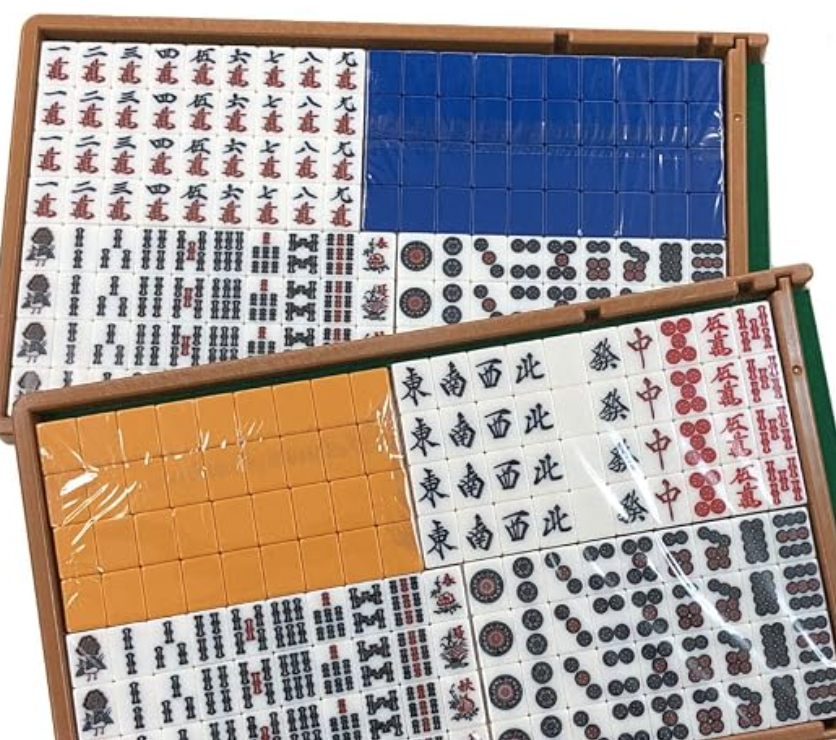
Use the tiles supplied for your particular table. Each back color belongs to a separate set: one is used on the playing surface while the other is prepared inside the machine.
Point sticks
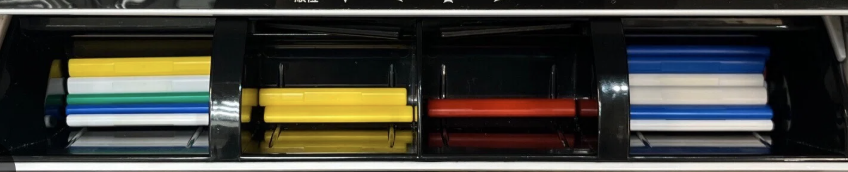
Point sticks represent your score and move between players when points are paid. The table’s score display reads the compatible sticks in each player’s tray.
For arranging them, making payments, and exchanging denominations, see Point Stick Etiquette.
Starter Marker

Place this marker beside the starting dealer, with East showing at the beginning of the match. Turn it to South when the South round begins. It stays beside the starting dealer rather than following each change of dealer.
The marker helps everyone remember who started the match and which round is being played. It serves a different purpose from the machine’s current-dealer light.
3. Dice Box
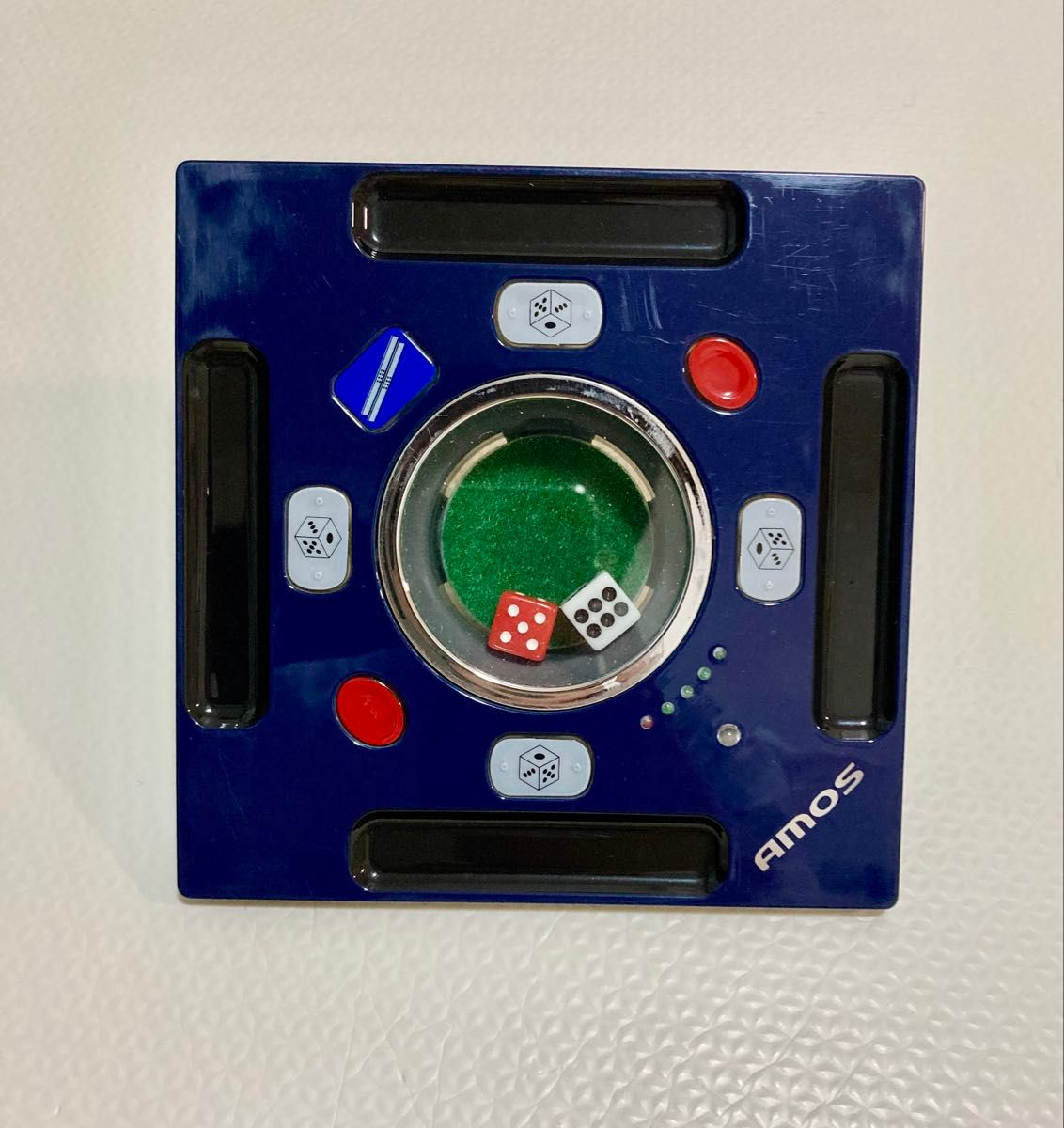
JP-EX Color Dice Box — the official name for the central control panel.
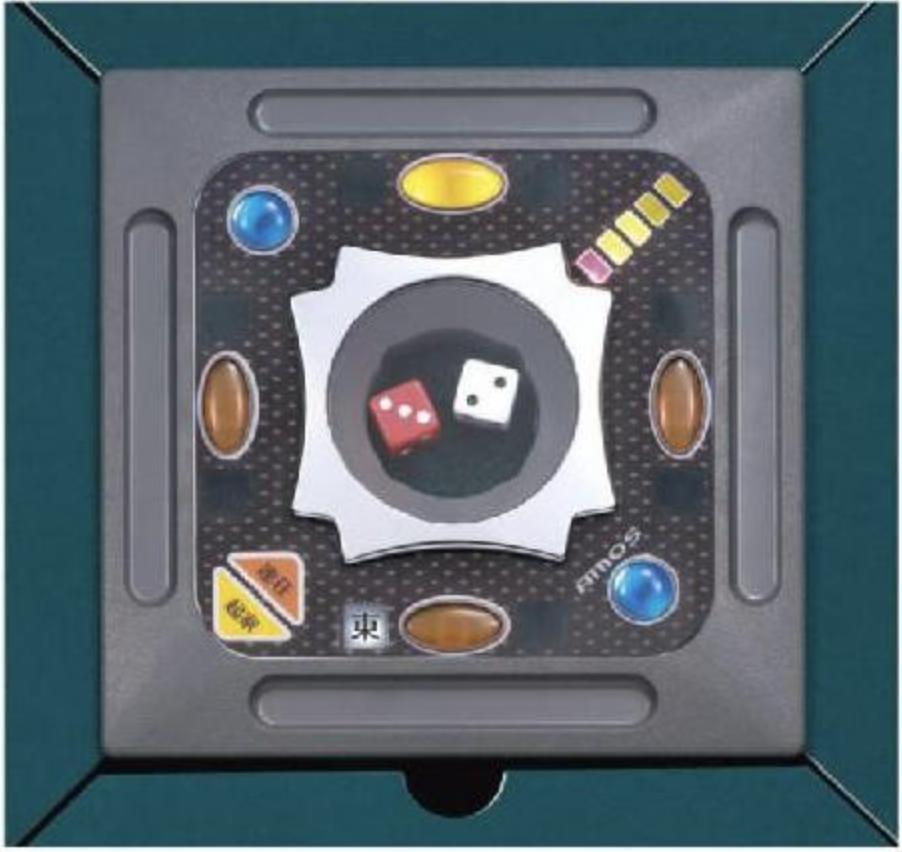
4. Bringing up a new set
Four players are about to begin their first hand. A used set of tiles is still on the table, and the other set is being prepared inside the machine. To bring up a fresh set, return the used tiles and operate the Dice Box. The sequence differs slightly between REXX and JP-EX Color.
REXX
These steps apply before entering Hanchan Mode. If your match is already underway, follow Chapter 10 instead.
-
Check that the next set is ready: a brightly lit blue Start Button means the tiles inside have finished being shuffled and prepared.
-
Return the used set: press a Start Button. The central tile-return area lowers, creating an opening. Push all the used tiles into it. Do not drop point sticks or other loose items into the opening. Check that no tiles remain on the table or the elevators.
-
Bring up the fresh set: after the used tiles have been returned, press the Start Button again to close the tile-return area. The prepared set rises from the elevators.
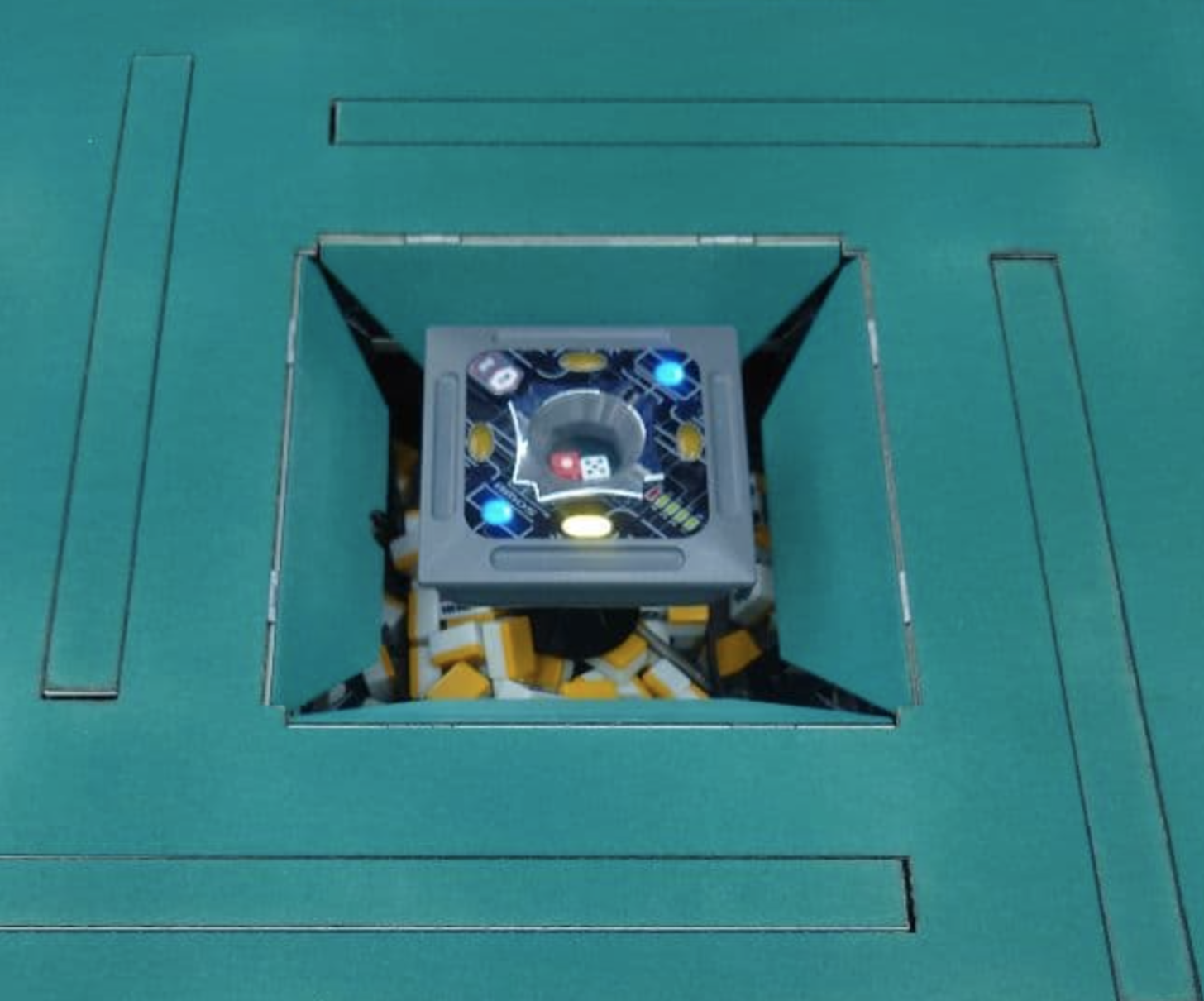
The returned tiles are shuffled inside while you use the fresh set on the table. If you haven’t started a hanchan (see next chapter), enter Hanchan Mode and select the starting dealer before playing.
JP-EX Color
- Check that the next set is ready: during normal tile preparation, a beep and the completion light indicate that the set inside is ready.
- Return the used set: press either red Start Button. The Dice Box rises to expose the tile-return opening. Push all the used tiles into it, then check that no tiles or point sticks remain on the elevators.
- Bring up the fresh set: once everyone’s hands are clear, press either red Start Button again. The Dice Box lowers, and the prepared walls rise from the elevators. The returned set begins being shuffled and stacked inside.
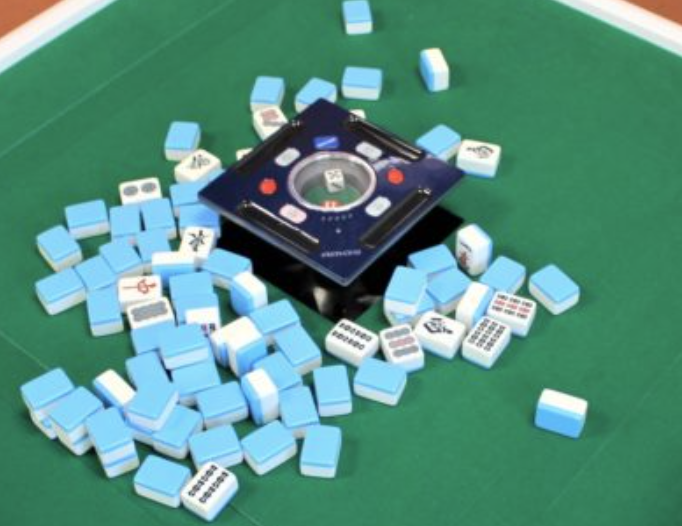
JP-EX Color: a lift-type tile-return area, opened by raising the Dice Box.
Unlike the REXX mechanism shown above, JP-EX Color opens the tile-return area by raising the Dice Box.
5. Hanchan Mode
REXX only
With the fresh set on the table, enter Hanchan Mode to start the match and select the dealer for East 1.
Enter Hanchan Mode
Before starting, decide whether to choose the dealer yourself or let the table choose randomly. Once the display starts rotating, you have three seconds to select a player.
Press the Honba and Starting Dealer buttons at the same time—the two halves of the split control marked ③ in the diagram above. The Round-wind display begins rotating through the four player positions.
Choose the starting dealer
You can select the dealer manually or let the table choose:
- Manual selection: while the display is rotating, press the Player Button for the player who should start as dealer. That player becomes East for East 1.
- Random selection: wait three seconds without pressing any Player Button. The table randomly selects a player to become East for East 1.
Place the Starter Marker beside the selected player with East showing. This marks the starting dealer for the match.
6. Dealing the starting hands
Dealing is the process of taking the four players’ starting hands. Once the tiles have risen from the elevators, how you receive your hand depends on whether automatic dealing is enabled.
Automatic dealing — REXX
With automatic dealing enabled, REXX delivers 13 tiles in front of each player, alongside the walls. Each player takes the tiles in front of their seat as their starting hand.
REXX: starting hands are delivered in front of each player, outside the walls.
The dealer for the current hand must take one more tile from the wall in addition to the 13 tiles delivered in front of them. This gives the dealer 14 tiles before their first discard.
Manual dealing
On JP-EX Color, or on REXX with automatic dealing switched off, players take their starting hands from the walls themselves.
East uses the button facing their seat to roll the dice. On REXX, press the illuminated Player Button again, or press and hold it. On JP-EX Color, press and hold the white Dice Button marked with a dice symbol.
JP-EX Color: press the Player Button (①) to roll the dice (⑥).
Read the total of the two dice, then break the wall and take the starting hands according to the usual Mahjong dealing procedure. The dealer begins with 14 tiles, and the other three players each begin with 13.
7. Play at the table
Once everyone has their starting hand, play proceeds as usual. Keep your concealed hand near your own edge of the table, and place your discards face up in front of you, beside the Dice Box.
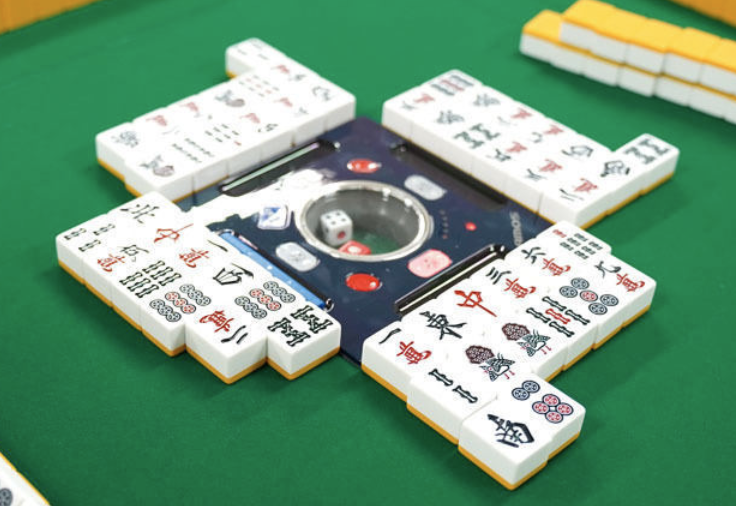
Keep discards aligned with the Dice Box, with six tiles in each row.
Arrange your discards
Place your first discard close to the edge of the Dice Box facing you. Add each new discard to its right, from your perspective, keeping the tiles in a straight line and in the order they were discarded.
Use six (6) tiles per row. After the sixth discard, start a second row beneath the first, closer to you. Start a third row the same way when needed.
8. Riichi
Declare riichi as usual, then place a 1000-point stick in the Riichi-stick slot facing your seat. The four long slots are built into the edges of the Dice Box, with one for each player.
Place your riichi stick in the slot facing your seat (⑤).
The stick remains in the slot as your riichi bet, separate from the point sticks in your score tray. Both JP-EX Color and REXX have these slots.
On REXX, placing the stick in the slot also triggers the table’s riichi voice announcement. Declare riichi yourself when making the declaration; the table’s voice accompanies it.
9. Scores and score differences
REXX display shown below.
The score display in front of each player shows all four players’ current scores. Use the only button next to the display to check score differences.
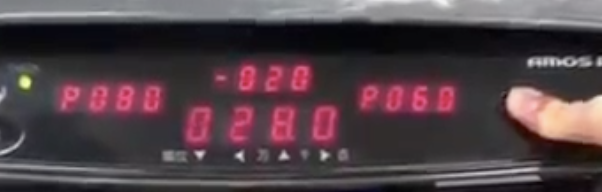
Hold the button next to the REXX display to view score differences.
Check score differences
Press and hold the button to switch from the players’ scores to their score differences relative to you. For a quick check, release it before five seconds; the display returns to the normal score view.
Keep score differences on screen
If you hold the button for more than five seconds, the table locks the display in score-difference mode. Releasing the button then leaves the score differences on screen.
To return to score mode, release the button first, then press and hold it again for five seconds. This switches the display back to the players’ current scores.
JP-EX models and tournament play
Tables in the JP-EX series have score displays, but not every model has a score-difference button.
If you attend a tournament that uses even one table without this feature, do not use the score-difference button, even at a table that has it. This keeps the same conditions for all players.
10. Move to the next hand
After scoring and payments are complete, return the used tiles and bring up the next set as in Chapter 4. This time, the match is already underway: establish who will be the dealer for the next hand before raising the tiles.
Return the tiles and bring up the next set
On REXX, wait until the blue Start Button indicates that the next set is ready, then press it to open the tile-return area. Push all the used tiles inside. Once everyone’s hands are clear, the next dealer presses the Player Button facing their seat to close the area and bring up the prepared tiles. If the dealer continues, the same player presses their button again.
On JP-EX Color, wait until preparation is complete, then press either red Start Button to raise the Dice Box. Return the used tiles, check that the elevators are clear, and press either red Start Button again to lower the Dice Box and bring up the prepared walls.
Adjust the honba count
Check the honba display before beginning the next hand. If a hand ends in an exhaustive draw and the dealer is not tenpai, the dealership passes to the next player, but the honba count still increases by one. After changing the dealer, use the Honba Button to adjust the display to the correct count.
For example, if East 1 ends in a draw at two honba and the dealer is not tenpai, the next hand is East 2 at three honba.
On REXX, each yellow light represents one honba, and the red light represents five honba. Read the total by adding the lit lights: a red light and two yellow lights mean seven honba.
On JP-EX Color, the blue button with the point-stick symbol adjusts the honba display manually. Its one-honba lights are green rather than yellow; the red light still represents five honba.
11. Wrapping it up after the game
If you decide to call it a day, here’s how to leave the table ready for next time.
REXX
Leave the tiles on the table; there is no need to return them to the machine. Put on the table cover to keep dust off the playing surface.
JP-EX Color
You can store the tiles inside the machine instead of leaving them on the table:
- Return the tiles: press either Start Button to raise the Dice Box, then slide all the tiles into the opening.
- Close without bringing up another set: instead of pressing a Start Button again, press and hold the two white Dice Buttons facing opposite seats at the same time for about two seconds. The Dice Box lowers without raising the prepared set.
- Cover the table: once the Dice Box has lowered, put on the table cover.
Next time you play, press either Start Button to raise the Dice Box. Press it again to lower the Dice Box and bring up the prepared set.
Putting it all together
The two tile sets let the table prepare the next hand while you play the current one. Once you recognize the Dice Box controls, the routine is straightforward:
- Bring up a fresh set. Check that it is ready, return the used tiles, and close the tile-return area using the appropriate button for your table and its current mode.
- Start the match. On REXX, enter Hanchan Mode and select the starting dealer. Place the Starter Marker beside that player.
- Take your starting hand. Use REXX’s automatic dealing when enabled, remembering that the dealer needs one additional tile. Otherwise, roll the dice and deal from the walls.
- Play the hand. Keep discards aligned beside the Dice Box in rows of six. Place riichi bets in your own Riichi-stick slot, and use the score display to keep track of points.
- Prepare the next hand. Complete payments, confirm the next dealer, return the tiles, and check the honba count before play resumes.
REXX and JP-EX Color share this routine, but their controls differ. The photographs and labels in this guide give you a reference for the table in front of you. At a tournament, follow the event’s rules for using features such as the score-difference button.
An automatic table takes care of shuffling and preparation; the players keep the game moving by handling tiles neatly, making clear payments, and checking the dealer and honba count together. After a few hands, these small actions become part of the rhythm of playing Mahjong at a table.